z80gfx Homebrew Z80

A software-emulated Z80 homebrew computer with a 256×192 mono framebuffer, ANSI terminal, square-wave beeper, and a built-in Nascom BASIC interpreter. By Decadev.

CPU: Zilog Z80 @ ~4–6 MHz RAM: 64 KB flat Video: 256×192 1bpp Terminal: 80×25 ANSI Sound: Square wave beeper
⬇ Download for Windows 📖 Read the Manual
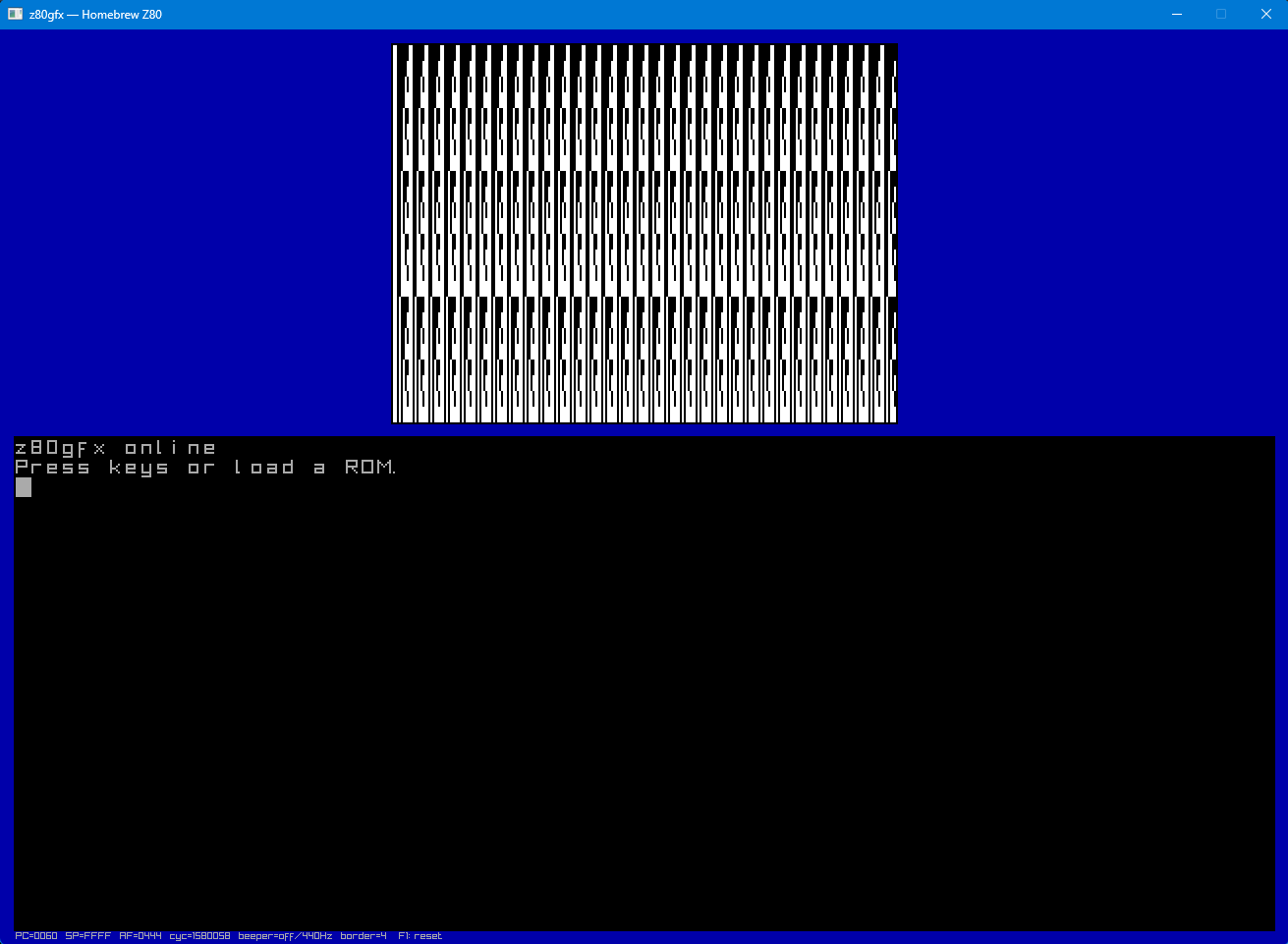
z80gfx default ROM showing VRAM test pattern and terminal
Default ROM — VRAM test pattern & terminal
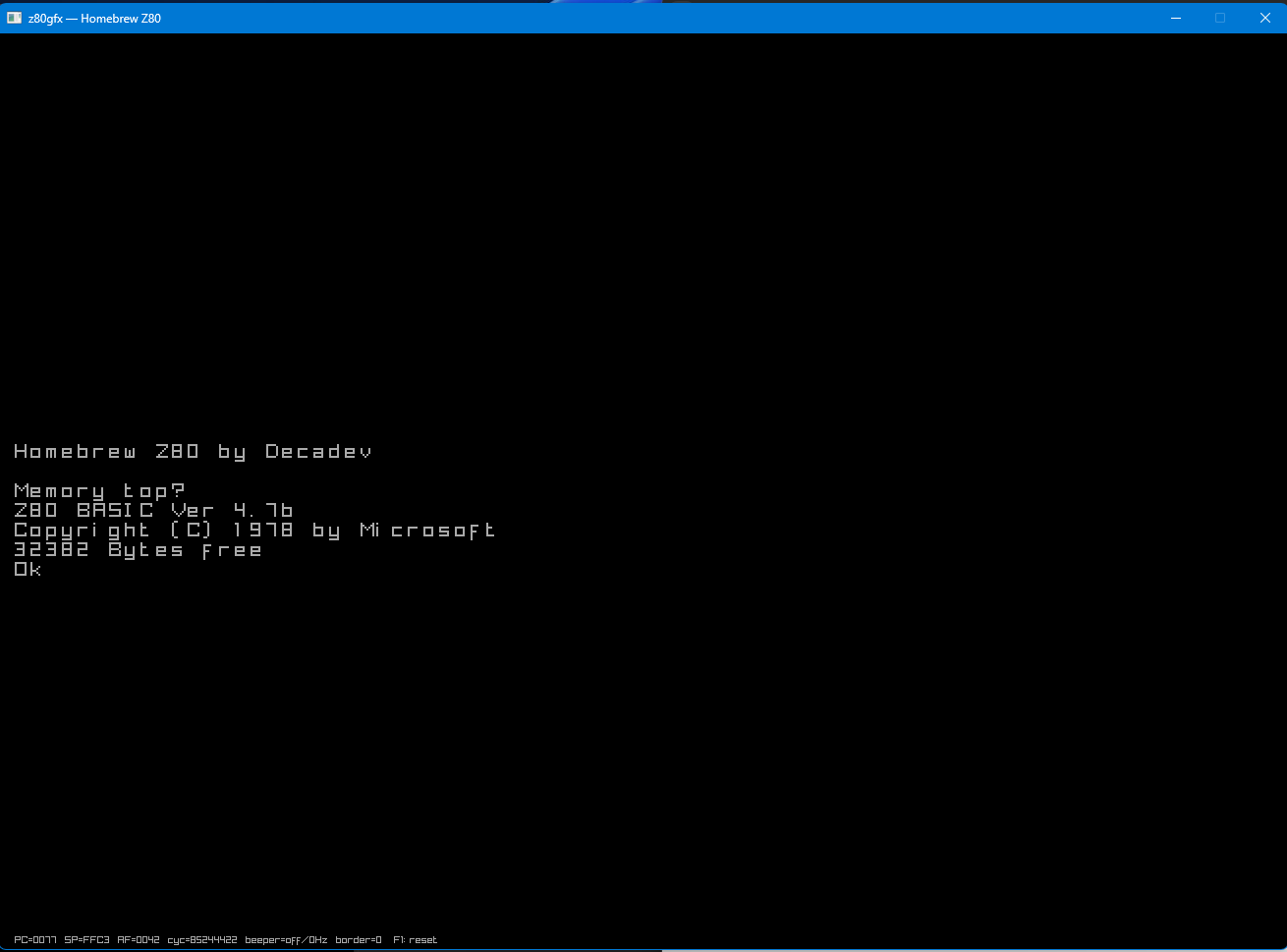
z80gfx running Nascom BASIC
Nascom BASIC 4.7b running on z80gfx

Features

Everything you need to write, run, and debug Z80 assembly programs.

💻

Full Z80 CPU Core

All documented instructions including CB/ED/DD/FD prefixes, shadow registers, interrupt modes 0/1/2, and accurate flag behaviour.

📺

256×192 Framebuffer

Monochrome 1bpp bitmap at $C000. MSB-first, row-major layout. Write pixels directly from Z80 code—no GPU, no restrictions.

🖨

80×25 ANSI Terminal

Full escape-sequence support with 16-colour CGA palette, cursor control, and scrolling. Wired through a 6850 ACIA at ports $80/$81.

🔊

Square-Wave Beeper

15-bit frequency control via ports $40/$41 with on/off gate. Play tones, music, or sound effects from your Z80 programs.

💾

Load Any ROM

Intel HEX or raw binary files, loaded at any base address. Runs the classic Nascom BASIC ROM out of the box.

🛠

Built-in Debugger

Step, breakpoints, disassembly, memory & stack dumps, register editing, and I/O tracing in the console build.

System Specifications

CPU
Zilog Z80
Clock Speed
~4–6 MHz
Address Space
64 KB Flat
Video
256×192 Mono
VRAM
6 KB @ $C000
Terminal
80×25 ANSI
Sound
Square Wave
Serial I/O
6850 ACIA

I/O Port Map

PortDirBuildFunction
$00RBothKey ready ($FF if char waiting)
$01R/WBothCharacter in/out (simple port)
$40WGUIBeeper frequency low byte
$41WGUIBeeper frequency high byte; bit 7 = on/off gate
$42WGUIBorder colour (palette index 0..15)
$43WGUIVideo mode select (reserved)
$80R/WBoth6850 ACIA status / control
$81R/WBoth6850 ACIA data

Screenshots

The GUI build runs at 60 FPS with a blue-bordered framebuffer panel and a full ANSI terminal below.

z80gfx running the default built-in ROM
Built-in default ROM: VRAM fill pattern, blue border, beeper test
z80gfx running Nascom BASIC from ROM_32K.HEX
Nascom BASIC 4.7b loaded from ROM_32K.HEX

Getting Started

Up and running in under a minute.

Download

Grab the Windows release ZIP and extract it anywhere.

Run

Double-click z80emu_gui.exe to launch with the built-in default ROM. Or drag a .hex / .bin file onto the executable.

Load BASIC

Run z80emu_gui ROM_32K.HEX from a terminal to boot Nascom BASIC. Press C at the prompt for a cold start, then type BASIC commands.

Write Assembly

Use any standard Z80 assembler (pasmo, z80asm, zmac, sjasm) to write programs. Assemble to Intel HEX or raw binary and load them directly. See the Programming Manual for the full I/O port map, memory layout, and code examples.